
Do online android games need installation?
Mobile gaming has become one of the most popular forms of digital entertainment. Android users can now enjoy thousands of games through smartphones and tablets. Traditionally, playing a mobile game required downloading and installing an application. However, modern web technologies have introduced another option: playing games directly through an internet browser.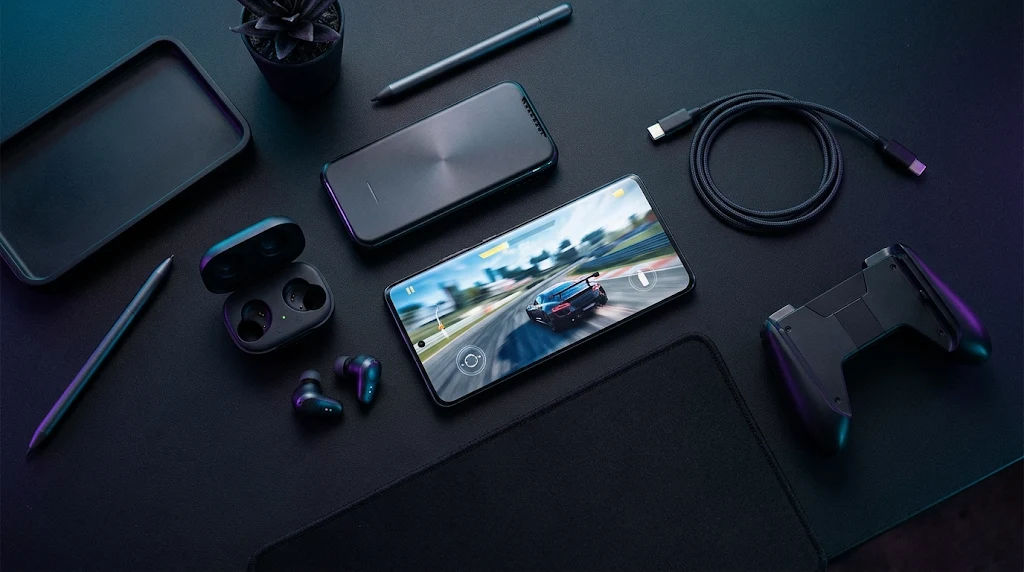
This development has made gaming more convenient for people who want quick entertainment without filling their devices with additional applications. Browser-based games can offer simple controls, attractive graphics, and enjoyable gameplay without requiring a traditional installation.
Online Android games have also become more accessible because of improvements in mobile browsers, internet connections, and cloud-based technologies. Players can explore different gaming experiences using browsers such as Chrome without necessarily visiting an application store.
Understanding how these games work is important when deciding whether installation is necessary. Some games operate entirely through websites, while others require applications or additional downloadable components. The right option depends on the game's design, technical requirements, and available features.
Online Android Games
Online Android games are digital games that can be played using Android-powered devices connected to the internet. They include puzzles, strategy games, educational activities, casual entertainment, racing experiences, and multiplayer challenges.
These games generally fall into two main categories: browser-based games and application-based games.
Browser-Based Android Games
Browser-based games operate through internet OPEN88 . Instead of downloading a complete application, players visit a website and open the game.
Modern browsers support technologies such as HTML5, JavaScript, and WebGL. These technologies allow developers to create interactive gaming experiences that work on different devices.
Some browser games load quickly and require very little storage space. Others contain larger graphics and more complicated features that require additional loading time.
Application-Based Android Games
Application-based games require users to download and install software on their smartphones or tablets.
These games are commonly available through official application stores. Once installed, they can store game resources, settings, and progress directly on the device.
Some application-based games require an internet connection to access multiplayer features, online accounts, or updated content.
Do Online Android Games Need Installation?
No, online Android games do not always require installation. Many modern games can run directly through a compatible web browser.
Players can visit a supported gaming website, select a game, and begin playing after its content loads.
However, installation requirements depend on the specific game. A simple puzzle game may operate completely within a browser, while a large multiplayer game may require a dedicated application.
The important difference is how the game delivers its content.
Browser games use web technologies to provide interactive experiences without traditional installation. Downloadable games use application packages to install software and supporting files on the device.
Games That Work Without Installation
Several types of Android games can operate without traditional installation.
Examples include:
-
Simple puzzle games.
-
Word and vocabulary games.
-
Browser-based card games.
-
Basic strategy games.
-
Educational games.
-
Casual arcade experiences.
-
Some multiplayer browser games.
These games are generally designed to load through a website and work with standard browser controls.
Games That Require Installation
Some games need installation because their features require additional software resources.
Examples include large 3D games, advanced racing games, graphics-intensive adventures, and applications with extensive offline functionality.
These games may require substantial storage, processing power, and downloadable updates.
How Browser-Based Android Games Work
Browser-based games use several technologies to deliver interactive entertainment without requiring a traditional application installation.
When a player opens a gaming website, the browser requests the necessary files from the website's server.
These files may include graphics, sounds, animations, game instructions, and programming code.
Once the required content loads, the browser processes the game and displays it on the screen.
HTML5 Technology
HTML5 is an important technology used in modern browser gaming.
It allows developers to create interactive websites with multimedia content and game interfaces.
HTML5 supports audio, video, animations, and other interactive elements. This makes it possible to develop games that work across different operating systems.
JavaScript Functionality
JavaScript helps control game interactions and gameplay features.
For example, it can process button presses, update scores, manage animations, and respond to player actions.
It also allows developers to create interactive environments without requiring a separate application.
WebGL Graphics
WebGL allows compatible browsers to display advanced graphics using device hardware.
It is particularly useful for browser games that contain three-dimensional objects, animated environments, and detailed visual effects.
However, performance depends on the smartphone's hardware and browser compatibility.
Benefits of Playing Android Games Without Installation
Browser-based games provide several advantages for Android users.
Saving Device Storage
One of the biggest benefits is reduced storage usage.
Traditional applications often require considerable space for installation files, graphics, sound effects, and additional resources.
Browser games generally do not require a complete application package.
However, browsers may temporarily store website files and cached resources. Therefore, playing without installation does not mean that absolutely no storage is used.
Quick Access to Entertainment
Browser games can be convenient when someone wants to enjoy a short gaming session.
There is no need to visit an application store, download an application, and complete an installation process.
Players can access compatible games directly through their browsers.
Fewer Installed Applications
Keeping unnecessary applications on a smartphone can make device management more complicated.
Browser gaming offers another way to enjoy digital entertainment without adding a separate application for every game.
This can be particularly helpful for people who prefer keeping their devices organized.
Compatibility Across Devices
Many browser games work across different devices and operating systems.
A game developed using standard web technologies may function on Android smartphones, tablets, and desktop computers.
However, compatibility still depends on screen size, browser support, hardware capabilities, and the game's design.
Convenient Game Exploration
Browser gaming makes it easier to explore different types of entertainment.
Players can try a compatible game without committing to a permanent application installation.
This is useful when deciding whether a particular gaming experience is enjoyable enough to use regularly.
Disadvantages of Browser-Based Android Games
Although browser games offer convenience, they also have limitations.
Internet Connection Requirements
Many browser games need an active internet connection to load their content and operate correctly.
A slow or unstable connection can cause loading delays, interrupted gameplay, or temporary connection problems.
Some games support limited offline functionality, but this depends on their development.
Limited Advanced Features
Browser games may not offer all the features available in dedicated applications.
For example, certain advanced games depend on specialized graphics systems, background services, or device integrations.
These features may be difficult to reproduce in a standard browser environment.
Performance Differences
Browser performance depends on the device's processor, available memory, graphics capabilities, and browser optimization.
A lightweight puzzle game may run smoothly on an older smartphone.
A graphics-intensive browser game may require a more powerful device.
Temporary Data Storage
Browser games sometimes save information using cookies, local storage, or other browser storage systems.
This information can include preferences, progress, and temporary game resources.
Clearing browser data may remove some locally stored information, depending on how the game saves progress.
Browser Games Compared With Installed Android Games
Understanding the differences between browser games and installed applications can help users choose the most suitable option.
|
Feature |
Browser Games |
Installed Games |
|---|---|---|
|
Installation |
Usually unnecessary |
Required |
|
Storage |
Generally lower |
Often higher |
|
Internet |
Frequently required |
Depends on the game |
|
Updates |
Usually managed online |
Often require updates |
|
Accessibility |
Through a browser |
Through an application |
|
Offline gaming |
Limited in many cases |
Available in some games |
|
Advanced graphics |
Depends on browser support |
Often broader support |
Neither option is automatically better.
Browser games are convenient for quick entertainment, while installed games can provide more extensive features and greater offline functionality.
Can Android Games Run Smoothly Without Installation?
Yes, many Android games can run smoothly without installation.
However, performance depends on several technical factors.
Smartphone Processing Power
A smartphone's processor determines how efficiently it handles game calculations and other tasks.
Lightweight games generally require fewer resources than games with complicated animations and interactive environments.
Older smartphones may run simple browser games comfortably, while demanding games may perform better on newer hardware.
Available Memory
Random-access memory, commonly called RAM, helps devices manage active applications and browser processes.
If too many applications are running simultaneously, browser games may become slower.
Closing unnecessary background applications can sometimes improve performance.
Browser Compatibility
Not every browser supports every gaming feature equally.
Updated browsers generally offer improved security, compatibility, and performance.
Using a supported and updated browser can help reduce common technical problems.
Internet Speed
Online games frequently communicate with remote servers.
A stable internet connection helps games load their resources and process online activities.
Connection quality can be particularly important for multiplayer experiences.
Do Browser Games Use Phone Storage?
Yes, browser games can use some phone storage, even when they do not require traditional installation.
Web browsers commonly use caching systems to temporarily save website resources.
These resources may include images, scripts, audio files, and other game components.
Understanding Browser Cache
Cache helps websites load more efficiently when users revisit them.
Instead of downloading every resource again, a browser may reuse previously stored files.
This can reduce loading times and unnecessary data transfers.
Cookies and Local Storage
Some games use cookies and local storage to save basic information.
For example, a game may remember language preferences, sound settings, or certain progress details.
The amount of storage used depends on the game's design.
Managing Temporary Files
Android users can review browser storage settings to understand how much space websites occupy.
However, clearing browser information may remove saved preferences or progress.
Players should understand how a game stores information before clearing its data.
Can You Play Browser Games on Older Android Phones?
Many browser games can work on older Android smartphones.
Simple games generally have lower hardware requirements than advanced 3D experiences.
However, compatibility depends on the Android version, browser updates, available memory, and processor capabilities.
Choose Lightweight Games
Games with simple graphics and straightforward controls are often suitable for older devices.
Puzzle games, word games, and basic arcade experiences usually require fewer resources.
Keep the Browser Updated
Browser updates can improve website compatibility and security.
However, very old Android devices may no longer support the latest versions of certain browsers.
Users should check whether their device receives compatible software updates.
Avoid Unnecessary Background Activity
Running many applications simultaneously can affect available memory.
Closing applications that are not needed may help the browser perform more consistently.
Are Browser-Based Android Games Safe?
Browser games can be safe when accessed through trustworthy websites, but users should always consider online security.
Not every gaming website follows responsible security practices.
Some websites may contain misleading advertisements, suspicious downloads, or requests for unnecessary personal information.
Use Reputable Websites
Choose established gaming websites with clear information about their services.
Avoid unfamiliar websites that request unnecessary permissions or encourage downloading unknown files.
Avoid Suspicious Downloads
A browser game should not normally require users to install unrelated software to access basic gameplay.
Unexpected download requests deserve careful attention.
Only install applications from trusted sources and review their permissions.
Protect Personal Information
Players should avoid sharing passwords, private information, or unnecessary personal details with gaming websites.
Using strong, unique passwords for online accounts can also improve account security.
Be Careful With In-Game Purchases
Some online games include advertisements, subscriptions, or optional purchases.
Players should understand these features before using them.
Young users should seek parental guidance before making purchases or creating accounts that involve personal information.
Do Browser Games Support Multiplayer Features?
Yes, many browser-based Android games support multiplayer functionality.
These games connect players through online servers, allowing them to participate in shared activities.
Depending on the game, multiplayer features may include cooperative challenges, competitive matches, shared puzzles, and score comparisons.
Real-Time Multiplayer
Some games allow several players to participate simultaneously.
These experiences usually require a stable internet connection and communication with game servers.
Turn-Based Multiplayer
Turn-based games allow players to take actions at different times.
They may be more suitable for people who cannot remain connected throughout an entire gaming session.
Playing With Friends
Certain browser games provide invitation systems or private rooms.
These features allow players to enjoy compatible games with people they know.
Availability depends on the developer and the game's multiplayer design.
How to Choose Between Browser and Installed Games
Choosing between browser-based and installed games depends on personal requirements.
Players should consider how frequently they play, the type of entertainment they prefer, and the capabilities of their devices.
Consider Your Storage Requirements
If smartphone storage is limited, browser gaming may provide a convenient alternative.
However, users should remember that cached website data can still occupy some storage.
Think About Offline Access
People who regularly play games without an internet connection may prefer applications with offline functionality.
Browser games are generally more suitable for connected gaming experiences.
Evaluate Graphics and Gameplay
Players interested in advanced graphics and extensive gameplay systems may prefer dedicated applications.
Those looking for quick entertainment may find browser games more convenient.
Check Device Compatibility
Before choosing a game, review its technical requirements.
A compatible game should work with the device's operating system, browser, available memory, and hardware capabilities.
Future of Installation-Free Android Gaming
The future of browser gaming looks promising because mobile technology continues to improve.
Faster internet connections, more capable processors, and better web development tools are expanding the possibilities of browser-based entertainment.
Improved Web Technologies
Modern web technologies allow developers to create more interactive and visually detailed experiences.
As browser capabilities improve, more games may become available without traditional application installation.
Cloud Gaming Development
Cloud gaming allows demanding game processing to take place on remote servers.
The device receives the visual output and sends player inputs back to the server.
This approach can reduce the need for powerful local hardware, although it depends heavily on internet quality and service availability.
Better Cross-Platform Experiences
Developers increasingly consider different devices when creating games.
Browser-based systems can make it easier to provide similar experiences across smartphones, tablets, and computers.
This flexibility may encourage further development of installation-free entertainment.
Conclusion
Online Android games do not always need installation. Many modern games can operate directly through compatible internet browsers, giving users convenient access to entertainment without downloading traditional applications.
Browser-based gaming offers several advantages, including reduced storage requirements, quick access, and compatibility with different devices. It can be particularly useful for people who enjoy casual entertainment and prefer not to install numerous applications.
However, browser games also have limitations. They may require stable internet connections, offer fewer advanced features, and depend on browser compatibility and device performance.
Installed Android games remain useful for players who want extensive graphics, advanced functionality, and offline gameplay. The best option depends on individual preferences, technical requirements, and available resources.
Understanding the differences between these gaming formats helps Android users make informed decisions. By selecting trustworthy websites, using updated browsers, and considering device capabilities, players can enjoy a convenient and responsible gaming experience.
Ultimately, installation is not a requirement for every online Android game. Modern browser technologies have made it possible to enjoy many interactive experiences directly from a smartphone, demonstrating how mobile gaming continues to become more flexible and accessible.